Black Friday ยท until 2 December

Pro is half price for your first year

DiskNinja shows what fills your disk, free. Pro skips the detective work: a sorted list of big files you might not need, and a plain answer about any file you don't recognise.

$14.99 $7.49 first year

Code NINJABF26

Pro Yearly for new subscribers. Renews at $14.99 a year, cancel any time.
Get the offer

On a Mac

One link opens the Mac App Store with 50% off already applied. Download DiskNinja and Pro is on.

  1. Click the button and confirm the offer with your Apple Account
  2. Get DiskNinja from the App Store
  3. Open it and scan. Pro is ready
Get 50% off on the Mac App Store

Already have DiskNinja from the App Store? Open Pro and choose Use code. App Store prices are set per country by Apple.

On Windows or Linux

Download the free app, then buy Pro Yearly here and enter the code at checkout.

  1. Download DiskNinja for your system
  2. Choose Buy Pro Yearly and enter NINJABF26
  3. Your licence key opens Pro in the app

Other formats (.msi, .deb, .rpm) are on the download page. Using the website version on a Mac? This button works there too.

What Pro adds

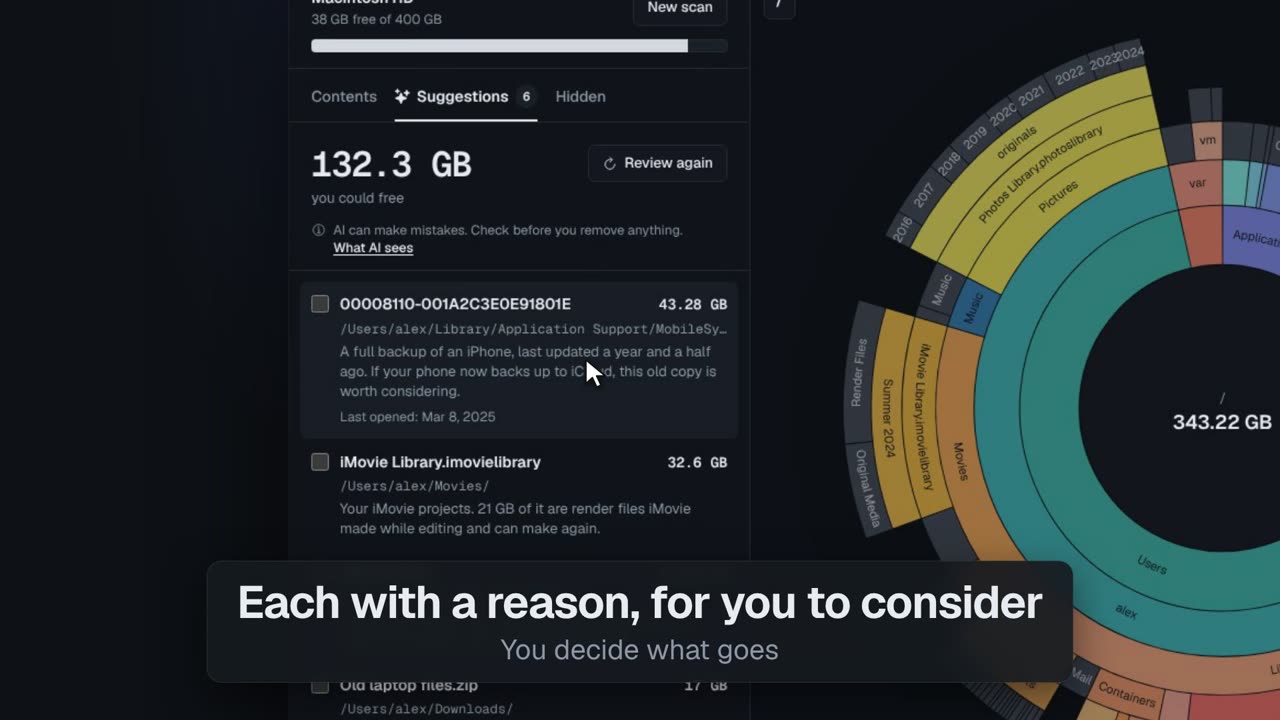
Your cleanup list, ready

Big files you might not need, sorted by size, each with a reason for you to consider. You decide what goes.

DiskNinja's Suggestions panel listing big files, each with a short reason

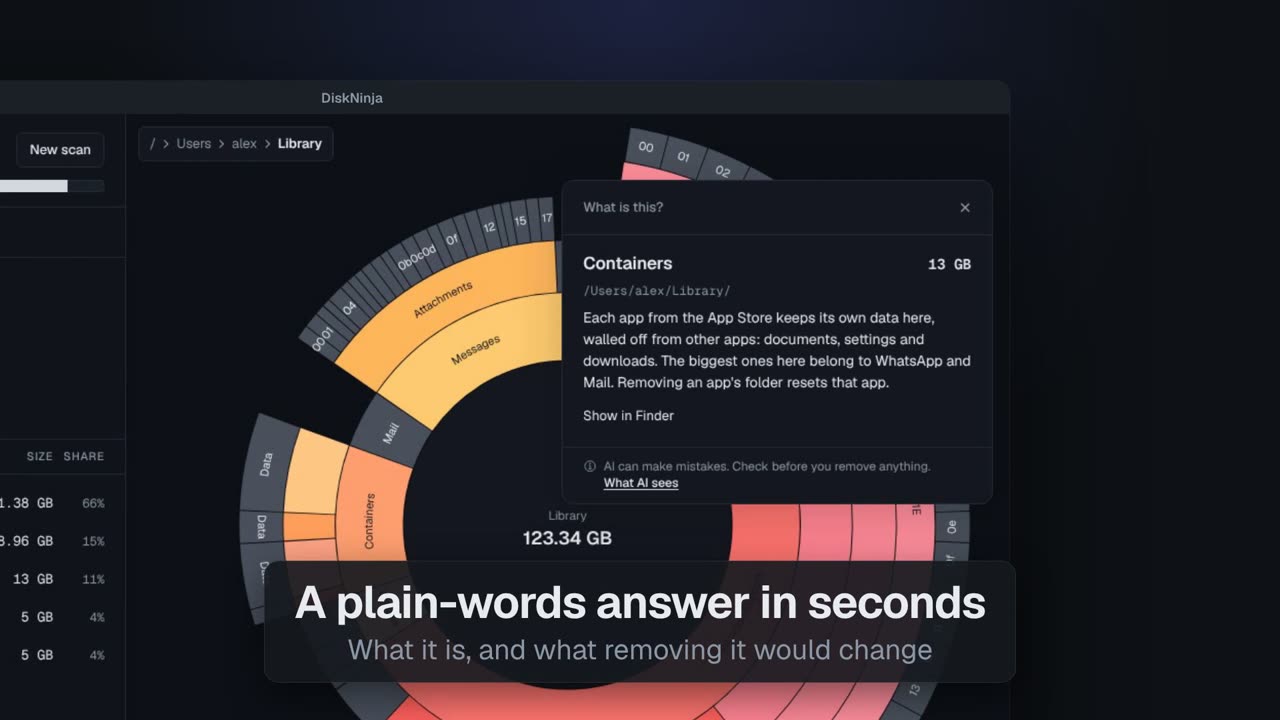
What is this huge file?

Get an instant answer in plain words: what it is and what removing it would mean.

DiskNinja explaining in plain words what a large file is

Scanning, the chart and Move to Trash stay free, with no time limit and no ads.